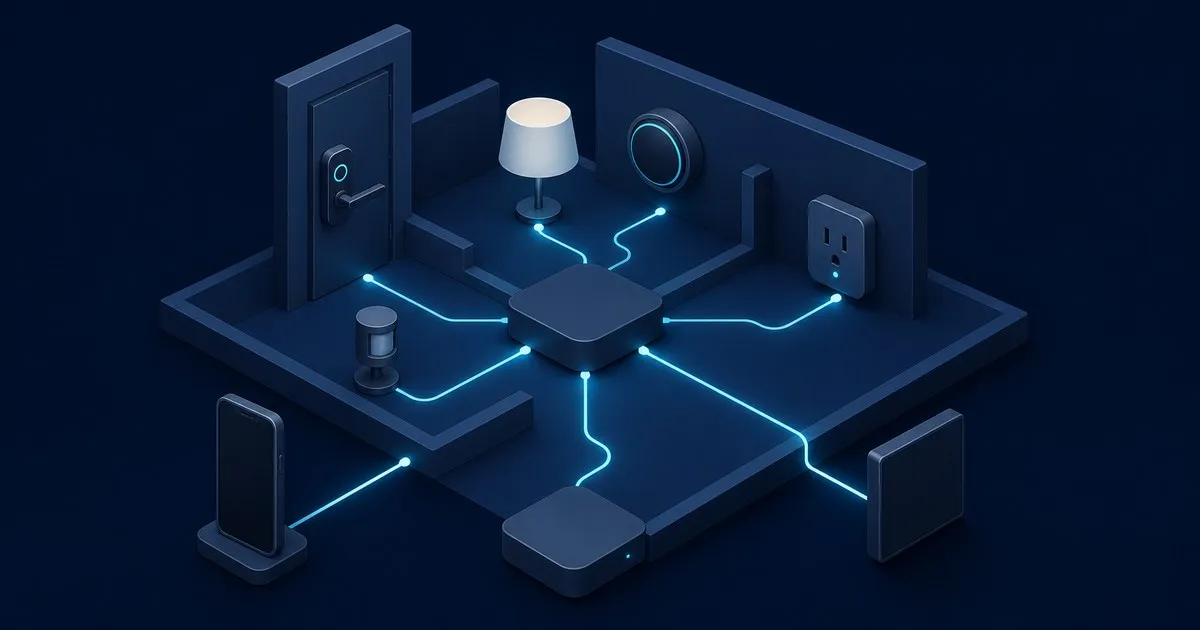
The question usually comes from someone who just bought a Matter bulb and found the app wants a hub before it will do anything. The short answer: a Matter controller is the software that admits a device onto your Matter network and sends it commands afterwards. It lives inside a HomePod, a Nest Hub, an Echo, a SmartThings station, or a Home Assistant install. The Connectivity Standards Alliance defines it as “an entity that can control Matter devices the user has connected to it,” and adds the line that explains most of the confusion in the ecosystem: “in most cases, a Matter Controller is exclusive to the company that provides it.” Matter standardised the devices, not the controllers.
Controller, commissioner, administrator, fabric
Matter splits what a hub does into three roles, and the CSA names them separately even though one box normally performs all three.
The commissioner is “a device or application that is used as a tool to set up a Matter Device,” verifying its authenticity and handing it network credentials. On most platforms this is your phone during the QR code scan.
The administrator “creates, maintains, and manages security and privileges for all devices on the Fabric it administers.” This is the role that owns the certificates.
The controller sends on, off, dim and lock, and reads state back.
All three operate inside a fabric, which the CSA describes as “a private virtual network over which Matter Devices, Admins, and Controllers communicate with each other.” A fabric spans Wi-Fi, Thread and Ethernet at once. Google’s developer primer gives the mechanical definition: a set of devices sharing one security domain, identified by a common certificate authority root and a 64-bit Fabric ID. Every device on it holds a Node Operational Certificate bound to its own key pair, and the commissioner is what “requests operational credentials from the CA on behalf of nodes being commissioned.”
Home Assistant’s documentation frames itself this way: it “is a so-called controller in a Matter ecosystem,” and every controller “has its own fabric.”
What a controller is not
Three things get called a controller that are not one.
A Thread border router routes IPv6 between the Thread mesh and your LAN and provides DNS-based service discovery, which is OpenThread’s definition of the job. A border router with no controller behind it gives you reachable devices that nobody is commanding. The border router guide lists which products contain one.
A bridge, in the CSA’s words, “translates from one protocol to another, allowing non-Matter smart home devices (such as those using Zigbee or Z-Wave) to connect to a Matter Fabric.” A Hue bridge exposes Zigbee bulbs to a controller; it does not replace the controller.
Your phone app is usually the commissioner and the user interface, not the always-on controller. Apple’s support page is blunt: “You must set up a home hub to add Matter accessories to the Home app,” and Thread accessories additionally need “a Thread-enabled home hub, such as HomePod mini or Apple TV 4K (3rd generation) Wi-Fi + Ethernet.” Google’s Nest help page gives the same three reasons a hub is mandatory: to add Matter devices, to control them locally rather than through the cloud, and to control them when away from home.
Which products fill the role
Each platform embeds its controller in hardware it already sells.
Apple uses HomePod and Apple TV 4K models as home hubs, with only the Thread-capable ones doubling as border routers.
Google’s list is split by radio. Nest Mini, Nest Audio and the first-generation Nest Hub are Wi-Fi-only hubs; Nest Hub 2nd gen, Nest Hub Max, Nest Wifi Pro and the Google TV Streamer 4K are hubs with Thread. A Wi-Fi-only hub can control a Wi-Fi Matter bulb but cannot reach a Thread sensor without a border router elsewhere on the fabric.
Amazon’s developer documentation states that “the Echo device is the Matter administrator used to discover and connect Matter devices to Alexa locally,” and lists Echo Dot Max, Echo Hub, several Echo Show models and eero routers as the ones that also “act as border routers.”
Home Assistant runs its controller as a separate process. The Matter integration depends on the Matter Server app, which “runs the controller software as a separate process and connects your Matter network (called Fabric in technical terms) and Home Assistant.” Commissioning goes through the Companion app on your phone, and the docs recommend Home Assistant OS for the server. Pair it with the OpenThread Border Router app and a supported radio and you have a controller plus border router with no vendor cloud in the path. If you have not settled the radio question yet, the Thread vs Zigbee comparison comes before this decision.
Matter 1.4 (November 2024) added a fourth category. Home Routers and Access Points are certified devices “combining both a Wi-Fi access point and a Thread Border Router,” with “a secure directory for storing and sharing Thread network credentials.” That directory targets the separate-network problem described in the Thread border router guide. An HRAP is infrastructure, though. It still needs a controller.
What the controller does at commissioning
The commissioning flow is where the controller earns its administrator role.
The new device advertises itself and presents an onboarding payload, the QR code or manual setup code. The commissioner uses “the passcode from the onboarding payload to do Passcode Authenticated Session Establishment (PASE),” which arms a fail-safe so a half-finished pairing rolls back. It pulls the Device Attestation Certificate and Product Attestation Intermediate certificate to confirm the device is a certified product, requests a certificate signing request, installs the fabric root certificate and a Node Operational Certificate, and pushes Wi-Fi or Thread credentials. The device joins the operational network, the controller rediscovers it there, opens a CASE session using the operational certificates, and sends CommissioningComplete, which disarms the fail-safe.
Most stalled pairings die at the operational rediscovery step, which depends on mDNS and IPv6 multicast crossing your LAN. Home Assistant’s docs put it plainly: “Make sure IPv6 (multicast) traffic travels freely from your network to the Home Assistant host.” The pairing failures post works through each hop, and if your IoT devices sit on a separate VLAN, put the controller and every border router on that VLAN instead of reflecting mDNS into it, as the IPv6 requirements post explains; the UniFi VLAN segmentation guide covers building that VLAN.
Several controllers, one device
Multi-admin is where the interoperability promise gets delivered. Google’s primer states that “nodes may also be commissioned on more than one Fabric,” with the data model shared between them. In practice, an administrator on one fabric asks the device to reopen its commissioning window and issues a fresh pairing code, and a second platform’s commissioner uses that code to add the device to its own fabric. Home Assistant calls this joining “the same device to multiple controllers”; Amazon describes it as connecting “your device to multiple smart home platforms, including Alexa.”
Each fabric holds its own root certificate and its own NOC on the device, so removing one platform does not touch another. Matter 1.4’s Enhanced Multi-Admin promises to cut the per-device sharing ritual to “single user consent.”
For a homelab the practical shape is one open-source controller you administer, typically Home Assistant, plus whichever commercial fabric the household’s phones and voice assistants use, with each device shared to both.
Related across the network
- Home Assistant Hardware: What to Run It On — homeassistanthq.com
- Home Assistant OS vs Container: Which Install Method to Pick — homeassistanthq.com


